EnterpriseOn-premiseSafety-critical

Peer review, on the record.

Review code, PDFs and Word documents side by side, under the workflow your procedures already define. Every finding, checklist and sign-off lands in a tamper-evident audit trail.

Code · PDF · DOCXReviewed side by side
Hash-chainedAudit log with integrity check
Air-gappedNo outbound connections
Git · SVNReviews opened on commit
01 / Features

From upload to signed approval.

Code review tools treat a specification as a binary blob. Lucent reviews every artifact in a certification package, and won't let a review move until your process says it can.

01 / Native viewer

Code and documents, side by side.

Open the source next to the requirement it implements. Code, PDF and DOCX render in the browser; nothing to download, no second tool.

  • Syntax-highlighted source with line numbers
  • PDF and DOCX rendered in place
  • Compare revisions inside the review
Native viewer →
02 / Findings

Findings that point at the problem.

Anchor a finding to a line of code or an exact spot on a page. Types and severities are yours to define, so findings sort the way your standard does.

  • Line and coordinate anchors
  • Custom finding types and severity levels
  • Full history from raised to closed
Pinpoint findings →
03 / Workflow

Your procedure, enforced.

Draw the states and transitions in the workflow designer, then guard each transition with roles and preconditions. Every transition is signed, so the record shows who moved what, and that it wasn't edited afterwards.

  • Visual workflow designer
  • Role and precondition guards per transition
  • HMAC-signed transitions
Workflow engine →
04 / Checklists

Nothing skipped.

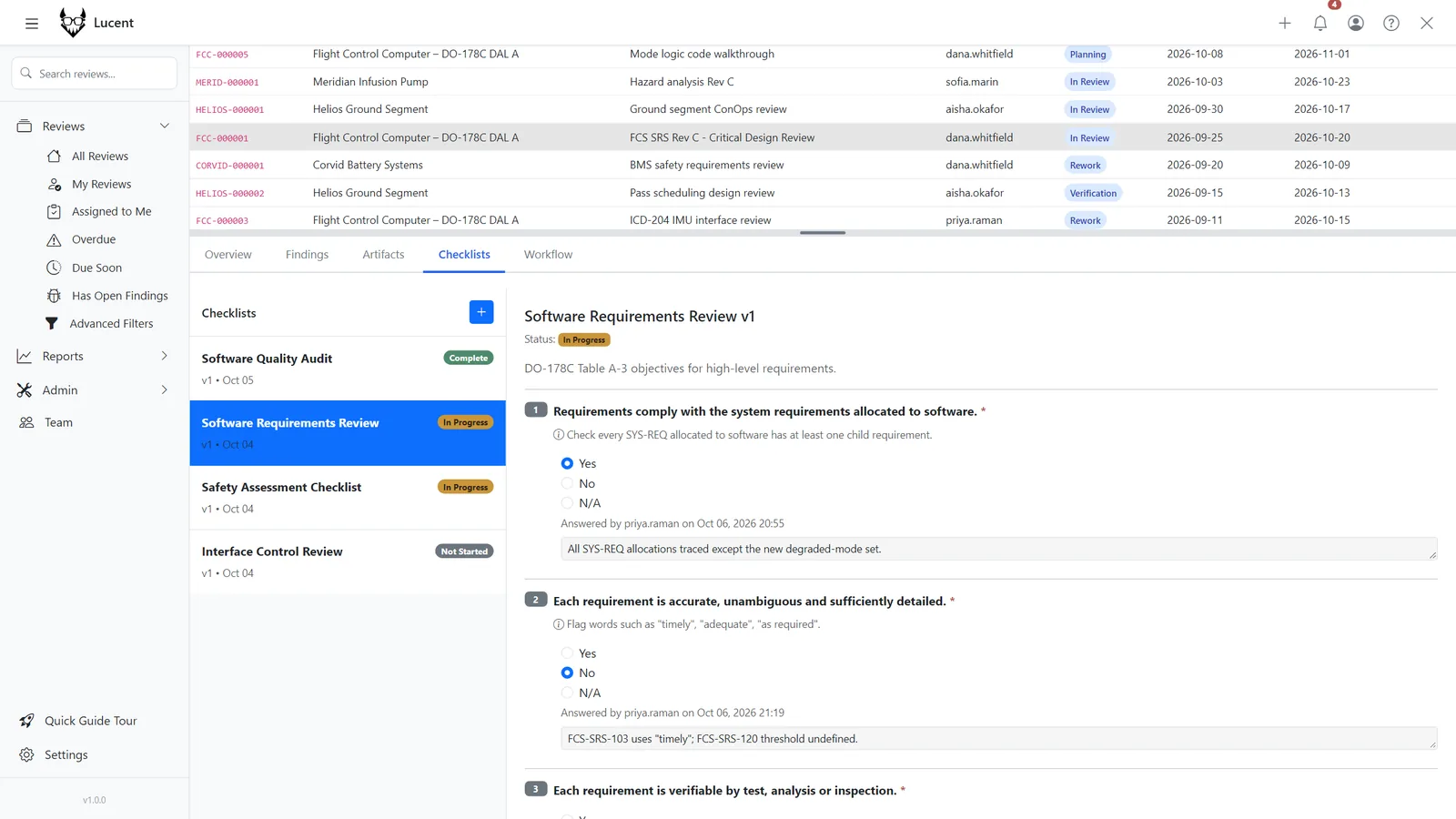
Attach structured checklists to workflow stages. Required checklists must be complete before the review can transition, and each answer is recorded against the person who gave it.

  • Multiple answer types
  • Required before transition
  • Per-question accountability
Checklists →
Structured review checklist
05 / Reports

See where reviews stall.

Gap analysis shows which revisions have been reviewed and which haven't. The program dashboard surfaces bottlenecks by stage and reviewer, in a layout each user arranges.

  • Revision-level gap analysis
  • Bottleneck metrics per stage
  • Customizable dashboard layout
Reporting →
06 / My work

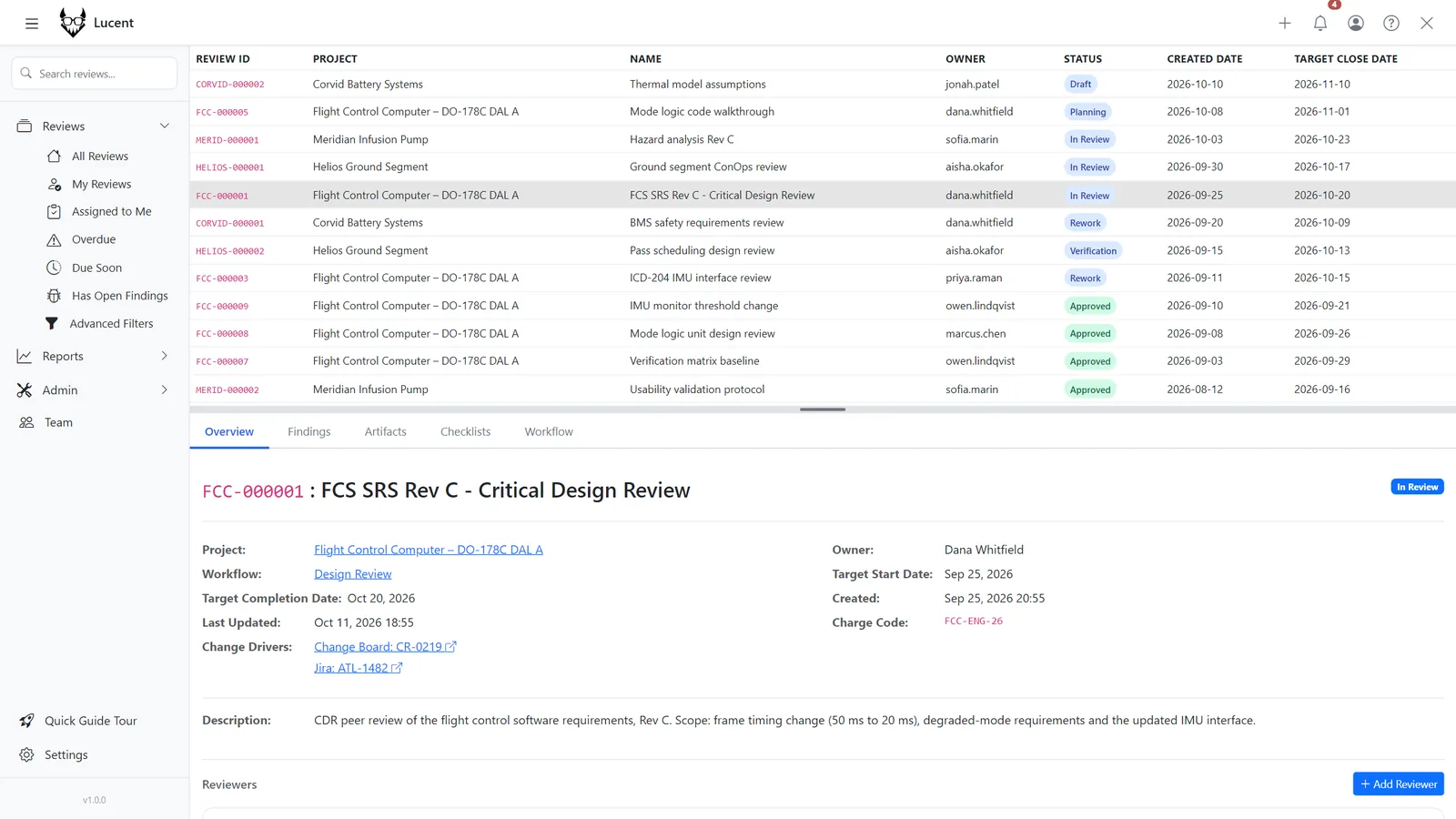
Know what's yours.

Filter the dashboard to reviews assigned to you. Due-date reminders and notifications arrive before a deadline slips, not after.

  • "Assigned to me" filter
  • Due-date reminders
  • In-app and email notifications
Notifications →
Dashboard filtered to reviews assigned to me
07 / Compliance

Tamper-evident by construction.

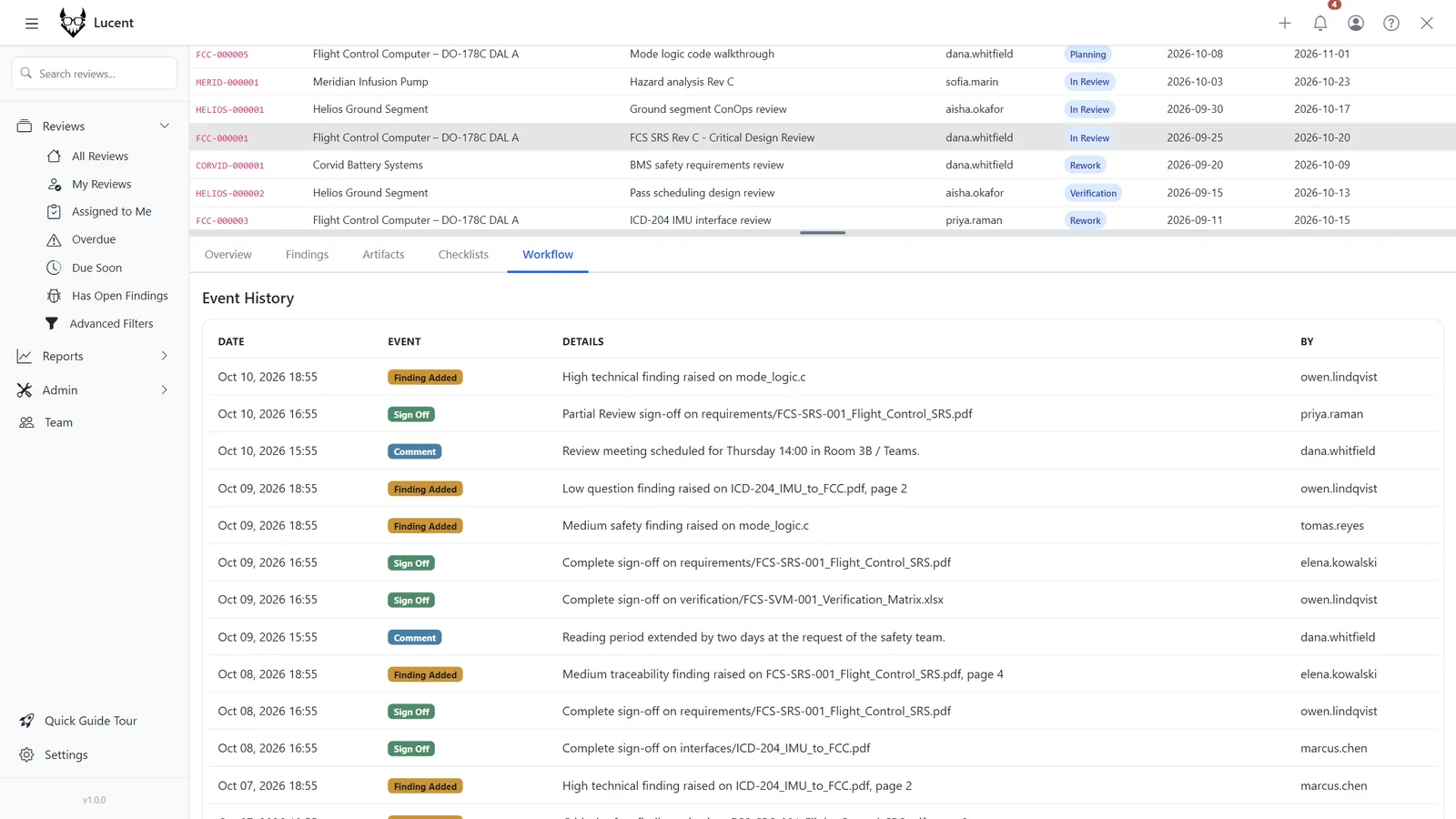
Each audit entry is chained to the hash of the one before it; integrity verification flags any record changed after the fact. Built for DO-178C, ISO 26262 and DoD environments.

  • Hash-chained audit log with integrity verification
  • Signed workflow transitions
  • Classification banners and notice-and-consent
  • Runs fully air-gapped
  • Configurable audit retention
Compliance →
Audit log with integrity verification
02 / And more

Fits the infrastructure you have.

Full feature catalog →

Version control

Git and SVN auto-review

Watch repositories and open reviews automatically when new commits or revisions land.

Integration

REST API

Token-authenticated access to reviews, artifacts, findings, checklists, sign-offs and audit logs.

REST API →
AI

MCP agents

Self-hosted AI agents review through MCP at an execution level you set, and obey the same workflow rules as people.

Identity

LDAP and Active Directory

Central user management with service-account or per-user binds. SAML and OIDC on request.

Users and teams →
Configuration

Live system settings

Tune caching, file limits and retention from the admin UI without a restart.

Deployment

Docker Compose

Single-node containers behind your existing reverse proxy, which owns TLS termination and certificates.

03 / Tour

See a review end to end.

A narrated walkthrough: upload, review side by side, raise findings, complete the checklist and sign off.

04 / Licensing

Flexible licensing.

Own a perpetual licence or subscribe for continuous updates. Every tier includes the full source code.

Standard

Perpetual licence

A perpetual licence for the current version.

  • Full source code access
  • Docker deployment container
  • 1 year of security updates
  • Modify and customize freely

Redistribution not permitted.

Purchase licence
Enterprise

Annual subscription

Always-current source code, plus support for custom features and integrations.

  • Site-wide licence
  • Air-gapped deployment support
  • Custom API integrations
  • Designated support engineer
  • SLA guarantees

Contact sales
05 / FAQ
Does Lucent require a cloud connection?

No. Lucent is deployed on your own servers and runs in fully air-gapped networks with no outbound connections. Your data and infrastructure stay under your control.

Which version control systems are supported?

Git and Subversion. Lucent watches your repositories, records the commit or revision behind every artifact, and can open reviews automatically when changes land.

Can we use our own checklists?

Yes. Define as many checklists as you need, attach them to workflow stages, and mark them required so a review cannot transition until they're complete.

How does the audit log work for compliance?

Every action, from opening a file to signing off a transition, is written to an audit log in which each entry is chained to the hash of the previous one. Integrity verification detects any altered or removed entry, and logs export to CSV or PDF as audit evidence (DO-178C, ISO 26262, AS9100).

Do you support single sign-on?

LDAP and Active Directory are built in. SAML and OIDC integration is available on request for the Enterprise tier.

If I cancel my enterprise plan, do I keep the source code?

Yes. You keep the source code as of the last day of your subscription, to use in perpetuity.