NexusRM / Audit and compliance

Tamper-evident by construction.

Every change is recorded in an append-only audit log that can prove it has not been altered. Security settings for classified environments are managed from one admin panel.

01 / Audit log

Who changed what, and how.

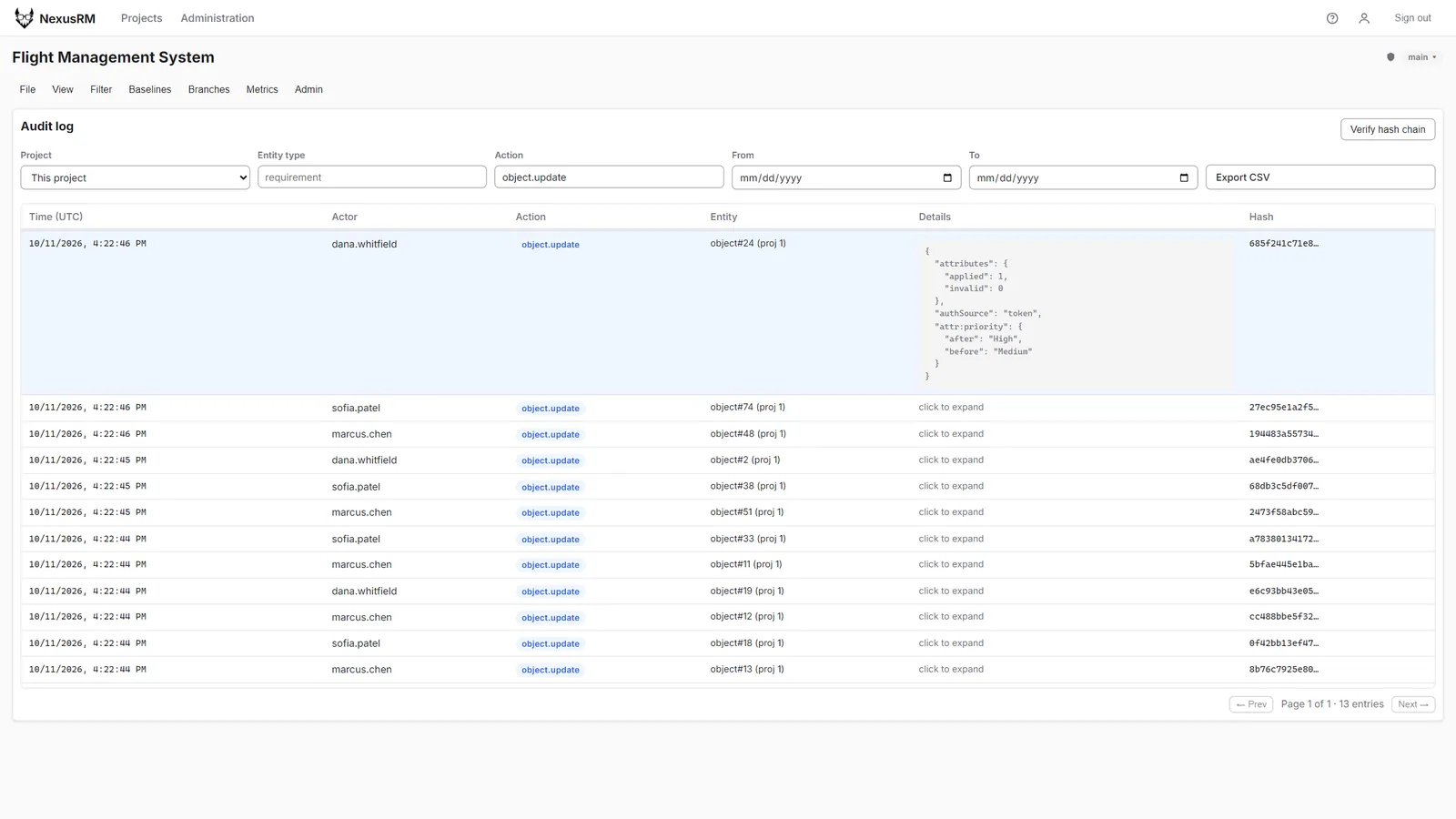
Each audit entry records the actor, the action, the time and the before and after values of the change. Filter by project, user, action or date range and export the result to CSV as evidence.

  • Before and after values per change
  • Filters by project, user, action and date
  • CSV export
Audit log filtered to object updates with one entry expanded to show its change record and the hash column
02 / Verification

Prove nothing was edited.

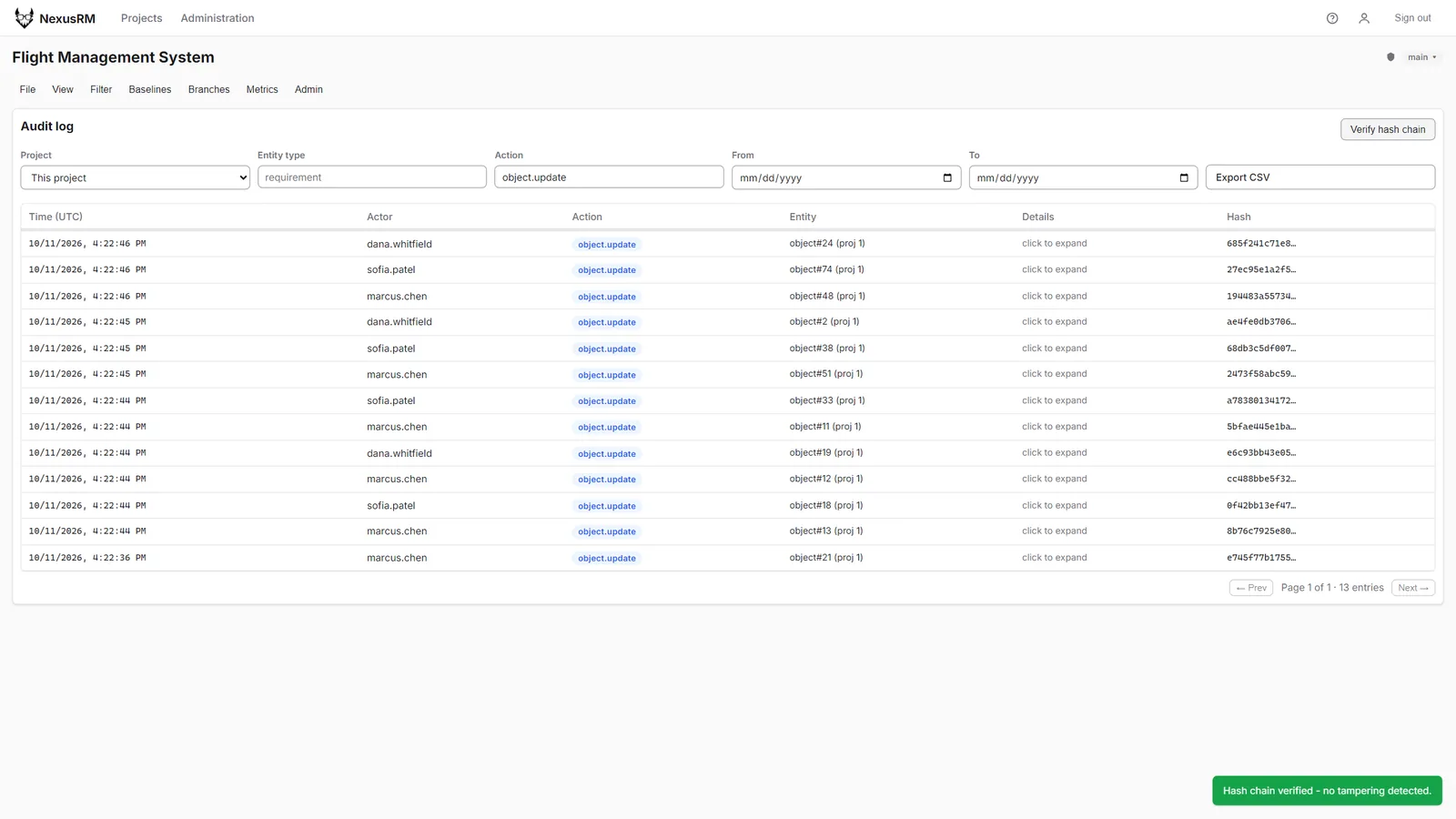
Each entry includes the SHA-256 hash of the one before it. Verifying walks the whole chain and reports any entry that was changed or removed after the fact.

  • Append-only, SHA-256 hash chain
  • One-click chain verification
  • Verify endpoint for automated checks
Audit log with the confirmation toast “Hash chain verified — no tampering detected”
03 / Security settings

Configured for classified networks.

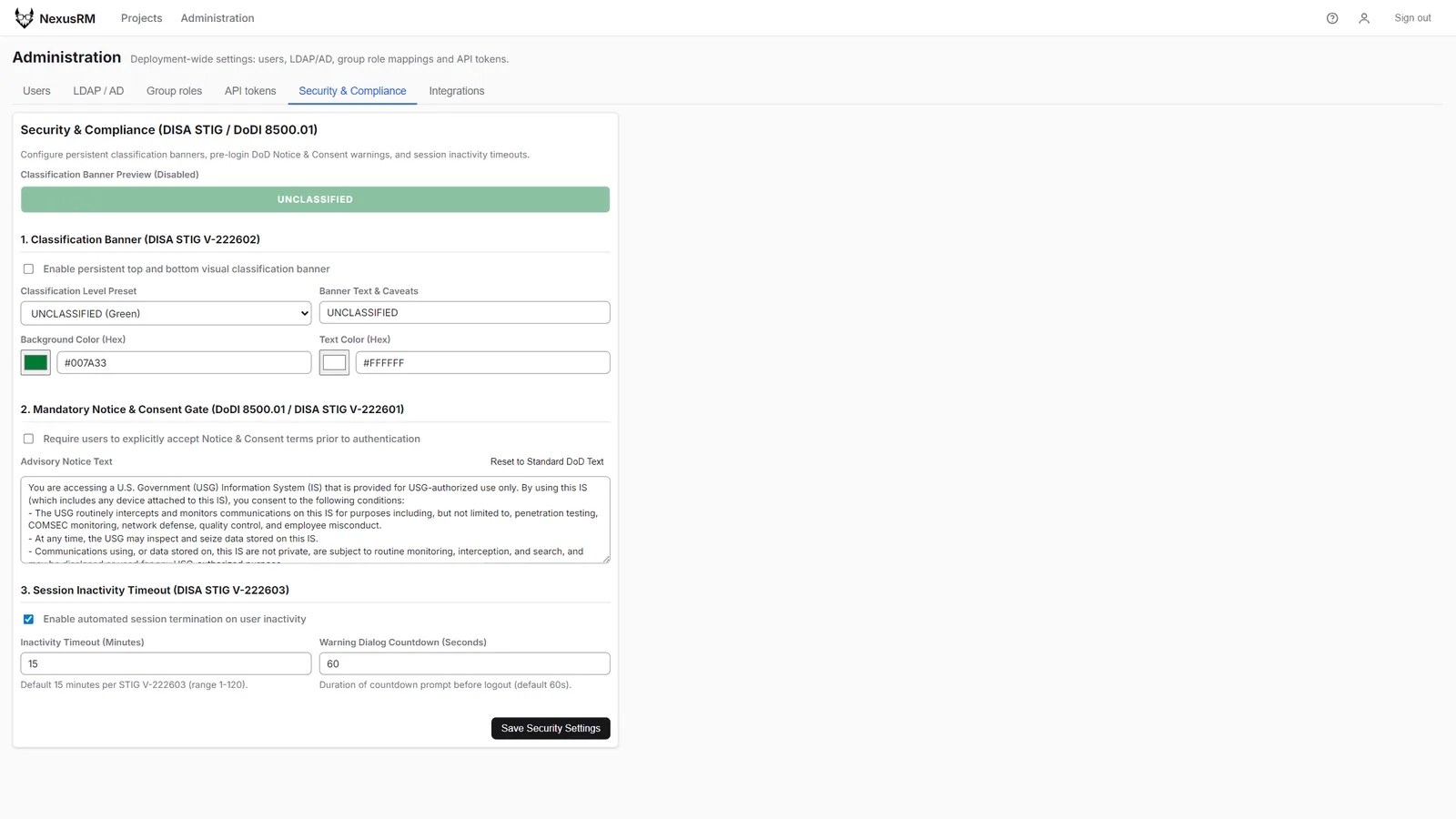
Administrators set classification banners for the top and bottom of every screen, a notice-and-consent gate shown before login, and a session inactivity timeout, all from the Security & Compliance panel.

  • Classification banners with presets
  • Pre-login notice and consent
  • Inactivity timeout with warning
Security and Compliance administration panel with classification banner, notice and consent text and inactivity timeout settings