NexusRM / Document authoring

Write it like a document. Manage it like data.

Every module reads as a numbered specification and edits as a grid. Rich text, tables, diagrams and custom attributes live on the same object, and the whole team can work in it at once.

01 / Document view

The specification, as it will be read.

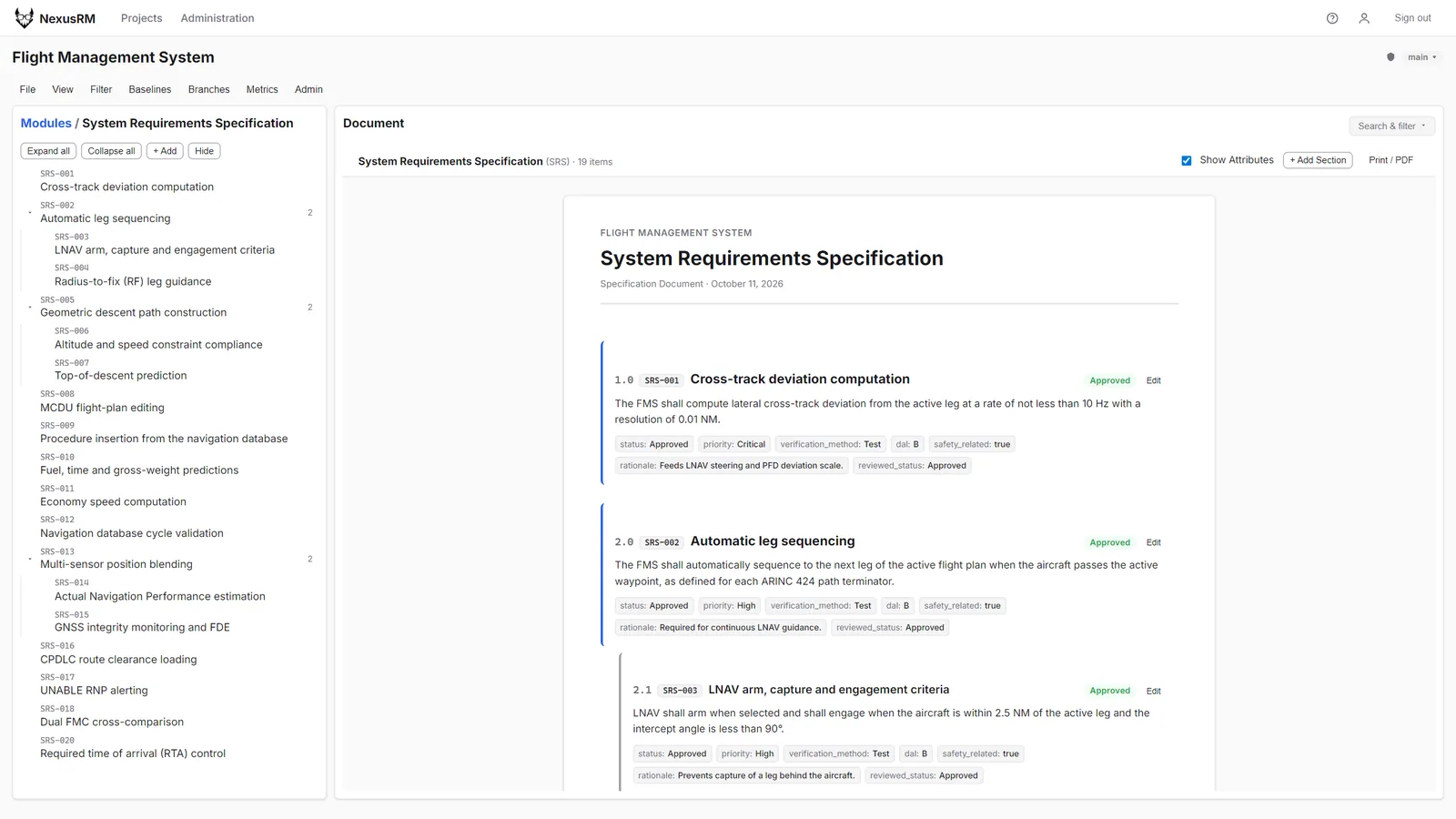
The continuous document view renders a module with hierarchical section numbers, formatted bodies, embedded tables and images, and attribute chips under each object. Insert a sibling or a sub-requirement exactly where it belongs, then print the module or save it as a PDF.

  • Section numbering derived from the module tree
  • Attribute chips shown or hidden per reader
  • Print / PDF from the same view
Continuous document view of a System Requirements Specification with section numbers, requirement bodies and attribute chips
02 / Rich text

Real tables, real diagrams.

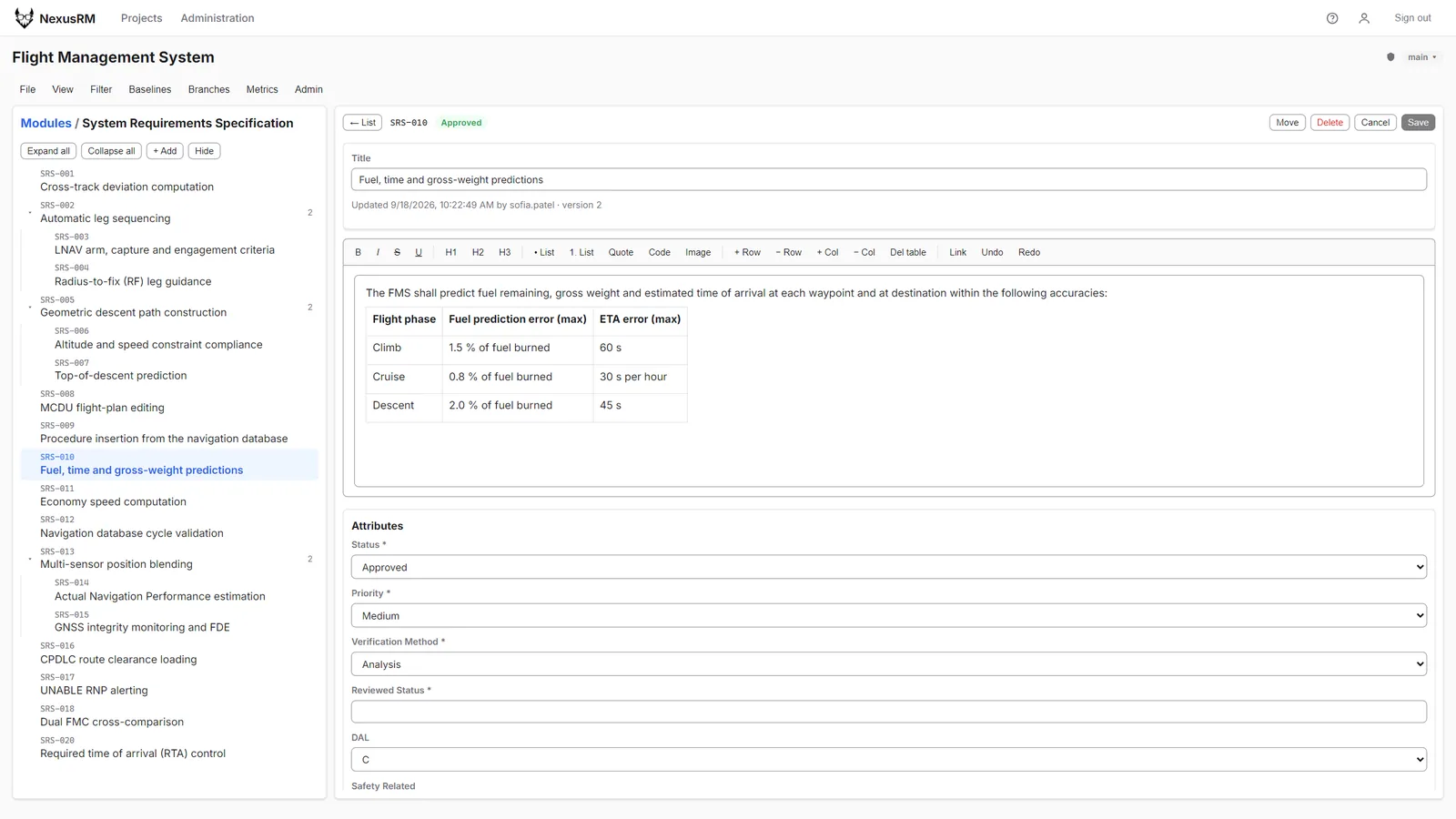
Requirement bodies are rich text: headings, lists, tables and images, edited in a toolbar editor next to the attribute form. Content is sanitised on the server before it is stored.

Attributes are typed as string, number, date, boolean or enum, so values such as a DAL or a verification method are picked from a defined list.

  • Rich-text editor with tables and images
  • Server-side sanitisation
  • Typed custom attributes
Requirement SRS-010 in edit mode with the rich-text toolbar, a fuel and ETA accuracy table in the body and the attribute form below
03 / Grid

Bulk work without a spreadsheet.

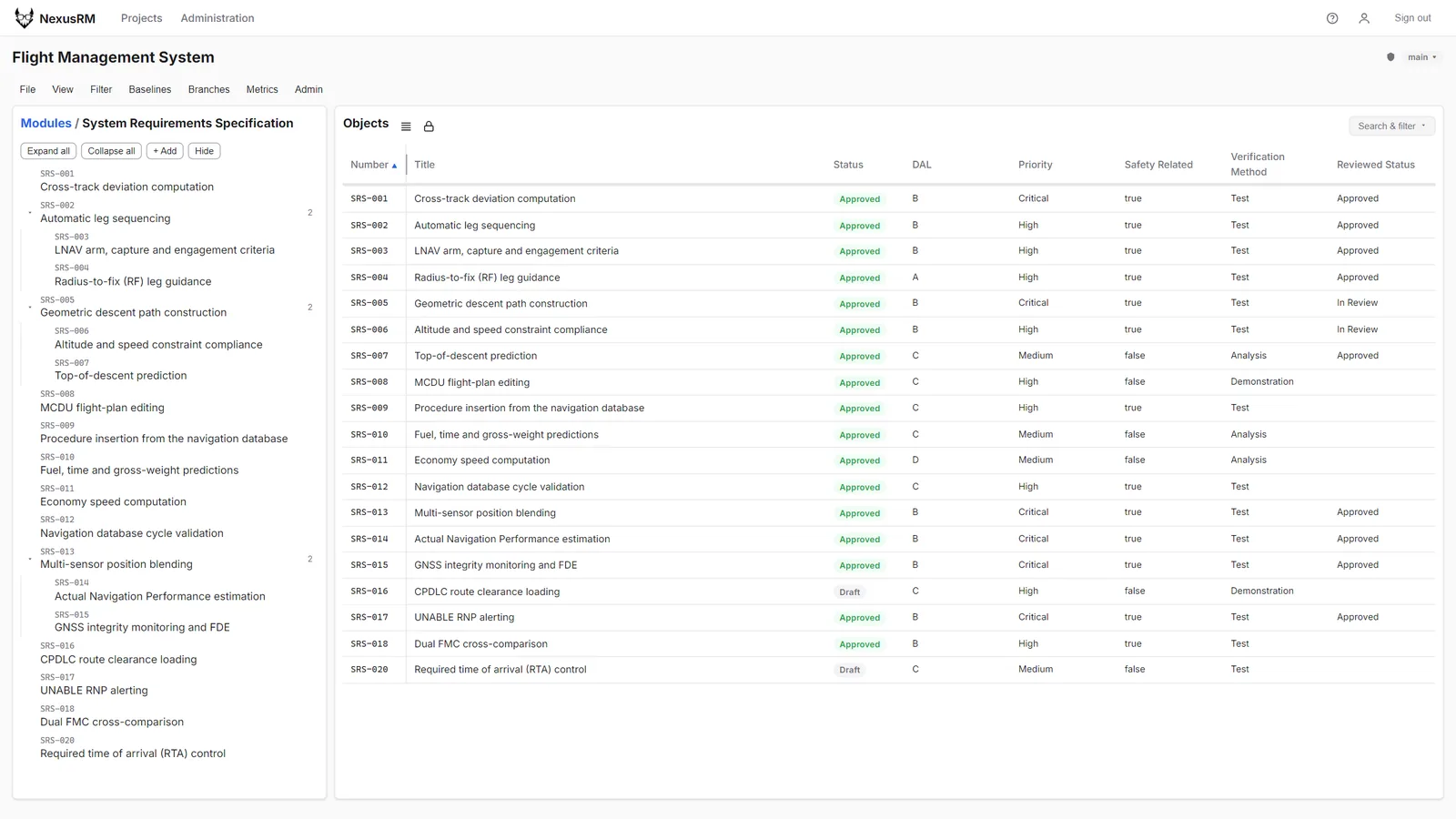
The grid lists a module with the columns your saved view selects. Unlock in-place editing to change status, priority or any attribute right in the cell; Enter saves and Escape cancels. A compact density fits more rows on screen.

There are no module locks. Each save carries the version it was based on, so if someone else changed the object first you get a clear conflict instead of a silently lost update.

  • Shared saved views per project
  • In-place cell editing
  • Optimistic concurrency, no module locks
SRS module grid using a Safety review saved view with DAL, priority, safety, verification method and reviewed status columns
Numbering

Per-module prefixes

Each module numbers its objects with its own prefix and padding, such as SRS-001 or SWR-031. Numbers are never reused.

Lexicon

Project glossary

Terms defined in the lexicon are underlined in read-only bodies, with the definition on hover. The stored text is untouched.

Appearance

Light and dark themes

Each user picks System, Light or Dark; System follows the operating system setting.