NexusRM / Impact analysis

Know what a change touches before you make it.

Start from an interface change, a requirement or a whole baseline diff and see every downstream item it reaches, with the path that got there.

01 / Per object

Layer by layer.

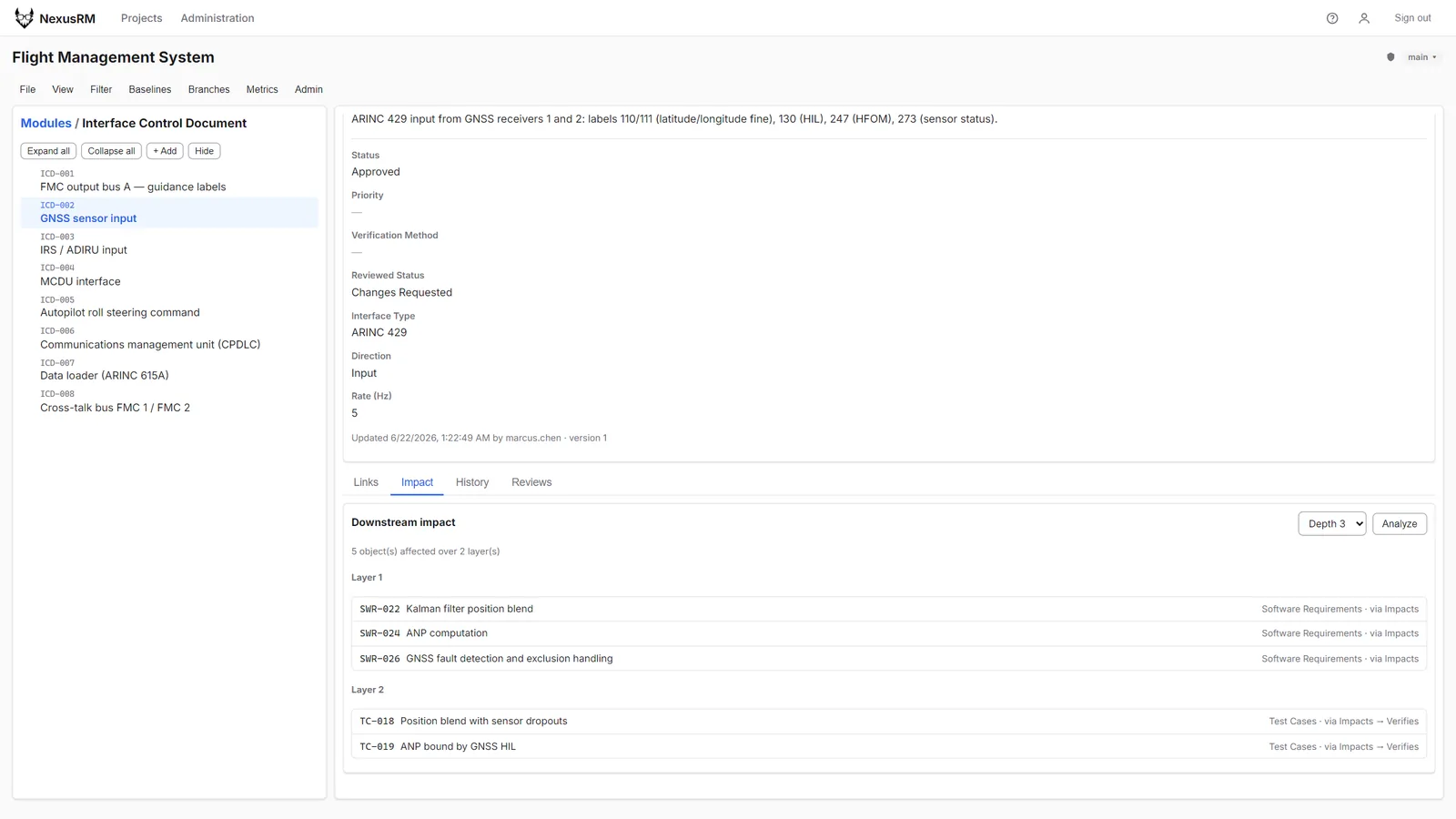
The Impact tab walks the link graph from the selected object to the depth you choose and groups the results by layer. Each affected item carries its link-type path, such as "via Impacts → Verifies", so the reason it appears is on the screen.

  • Depth-limited traversal
  • Link-type path on every item
  • Cycle detection
Impact tab for interface item ICD-002 showing downstream layers with the link-type path that reached each item
02 / Change sets

Impact of a whole revision.

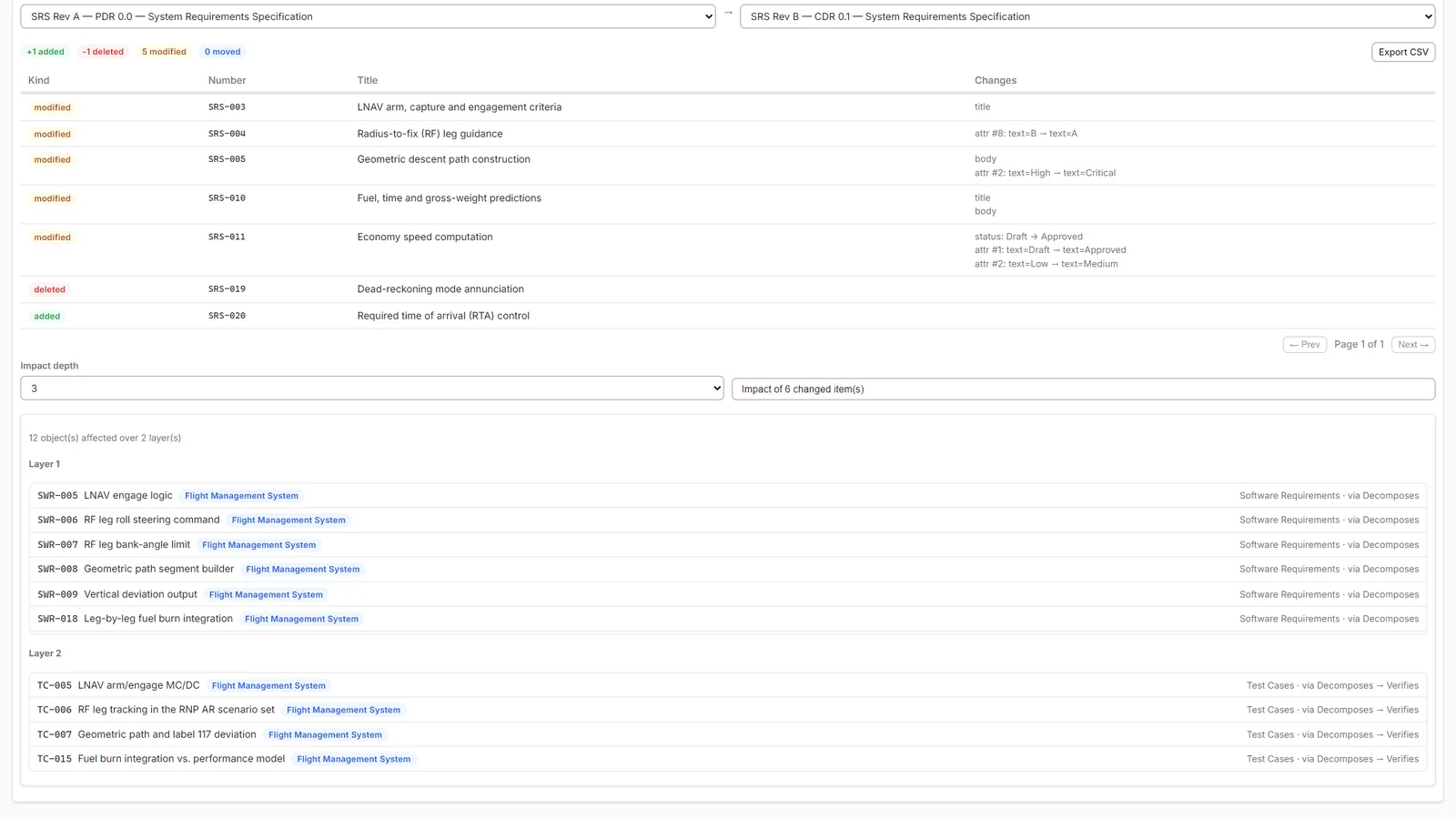
After comparing two baselines, analyse the impact of every changed item together. The layered result shows which software requirements and test cases sit downstream of the revision, ready for change assessment.

  • Multi-object analysis from a baseline diff
  • Layered results by distance
  • Cross-project items respect access rights
Impact of six changed items from a baseline comparison, listed in layers with the provenance of each affected item