NexusRM / Import and export

Your requirements, in formats you can read.

Export a whole project to a documented format at any time, print a specification, export any matrix or ledger to CSV, and bring existing data in from DOORS and JAMA exports.

01 / Documents

Print the specification.

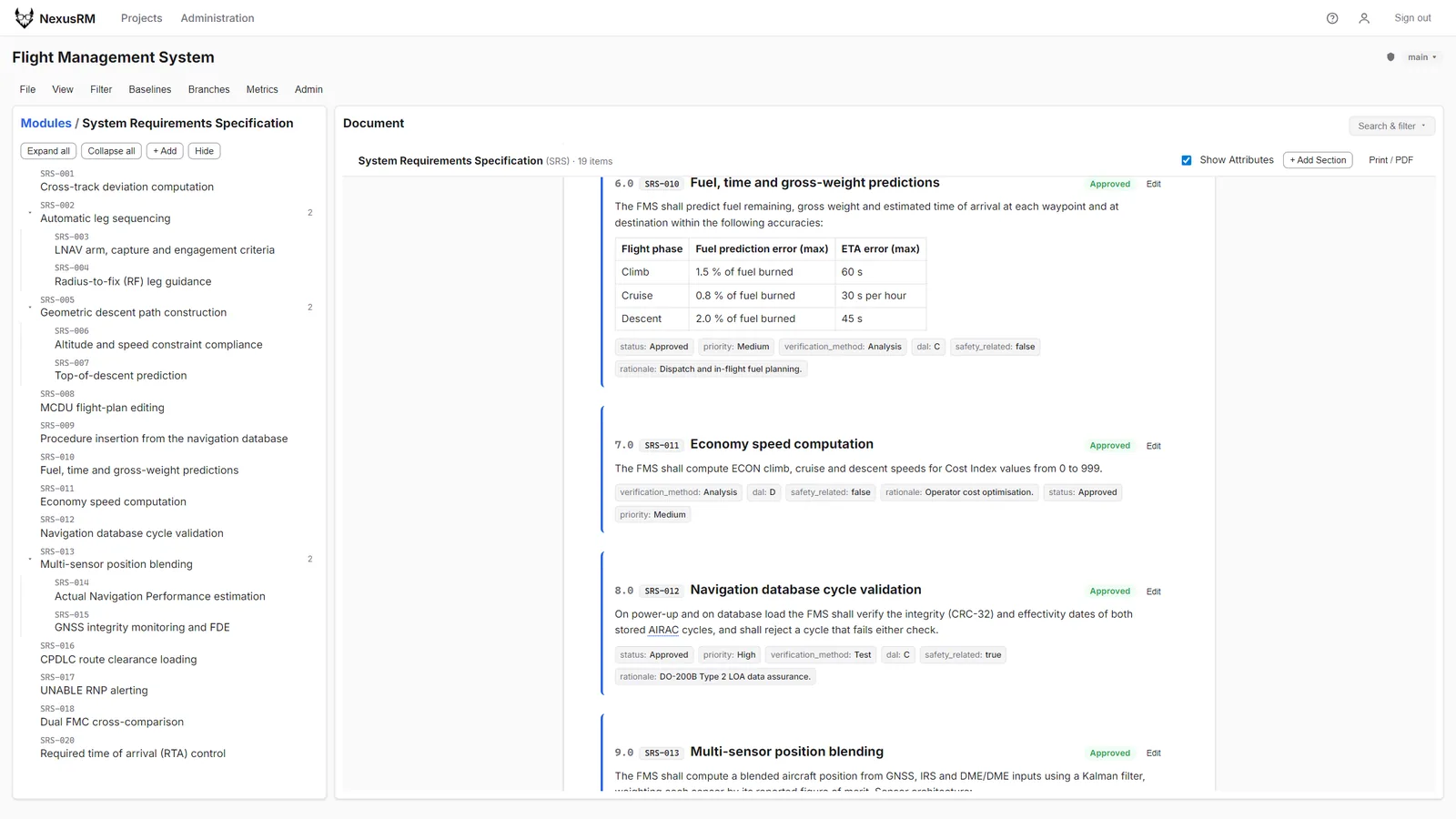
The document view prints cleanly, with navigation stripped away, so a module can go straight to paper or PDF for a review pack or a supplier.

  • Print / PDF from the document view
  • Tables and images included
  • Section numbering preserved
Document view of SRS-010 with a rich-text accuracy table, ready to print or save as PDF
02 / Exports

CSV wherever there is a table.

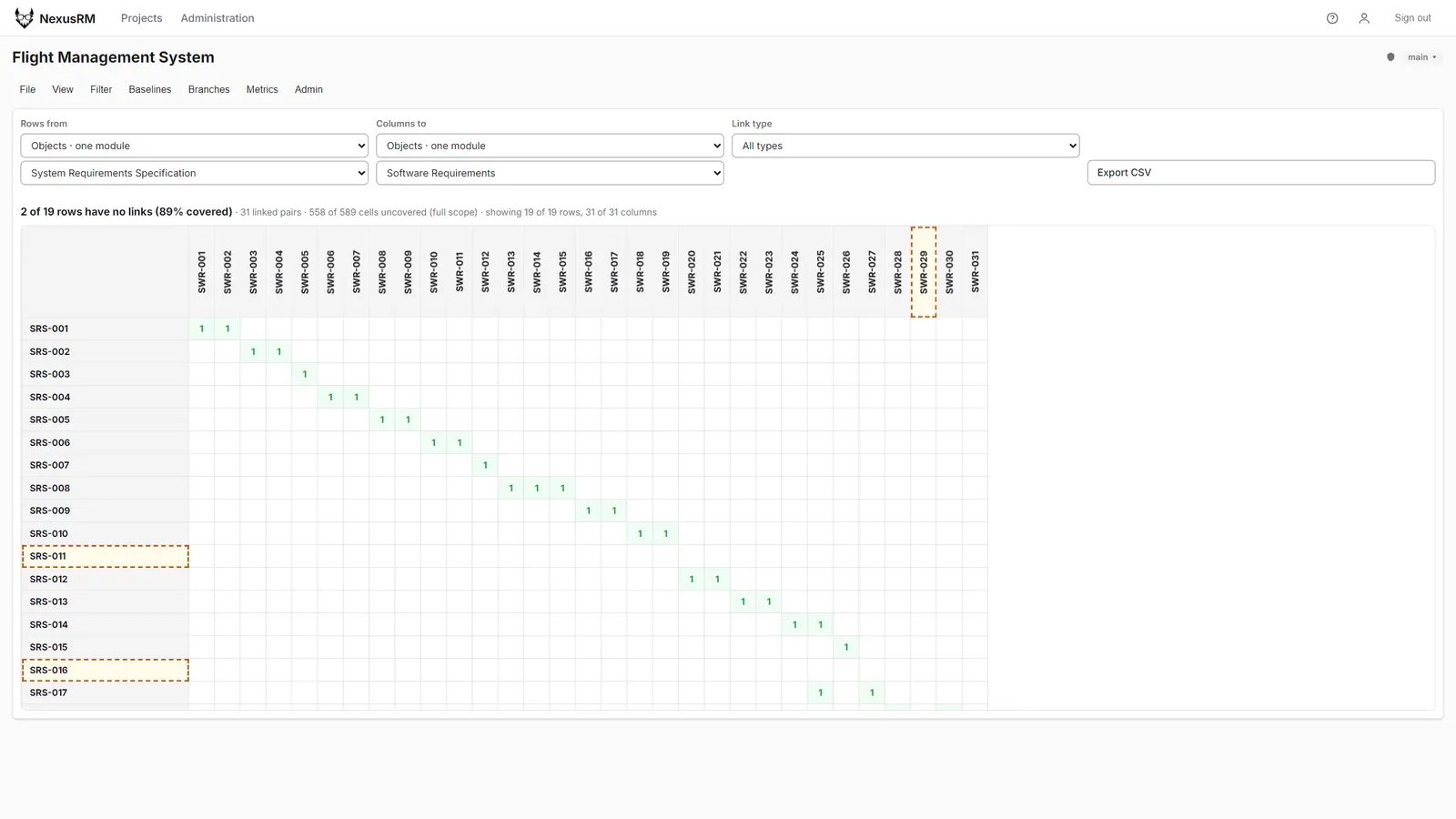
The coverage matrix, the audit log and every dashboard ledger export to CSV. A whole project exports to the documented NexusRM CSV or XML format, and re-importing that export reproduces the project, so your data is never locked in.

  • Project export to CSV or XML
  • Round trip: export, re-import, same project
  • CSV from matrices, ledgers and the audit log
Coverage matrix with its Export CSV control and coverage summary
DOORS

DOORS XML importer

Reads DOORS XML exports. The file is validated first, with a report of any issues, and only committed when you confirm.

JAMA

JAMA CSV and XML importer

Reads JAMA CSV and XML exports through the same validate-then-commit flow.

Re-import

Matched by source ID

Imported items keep their source ID, and a re-import matches items by it.