Actus / Boards & sprints

Plan it in the backlog. Run it on the board.

Scrum and Kanban boards over your workflow, a backlog you can rank and plan sprints from, and the sprint reports that tell you how it went.

01 / Backlog & sprints

Rank the work, fill a sprint, start it.

The Backlog view of a Scrum board holds one container per sprint and a Backlog container for everything not yet planned. Drag items into a sprint, start it, and when the sprint ends choose where each unfinished item goes: the backlog or another open sprint. Container headers total the items and story points, and an active sprint shows the points done.

  • Sprint containers with item and story point totals
  • One active sprint per project
  • Unfinished items move to the backlog or the next sprint on completion
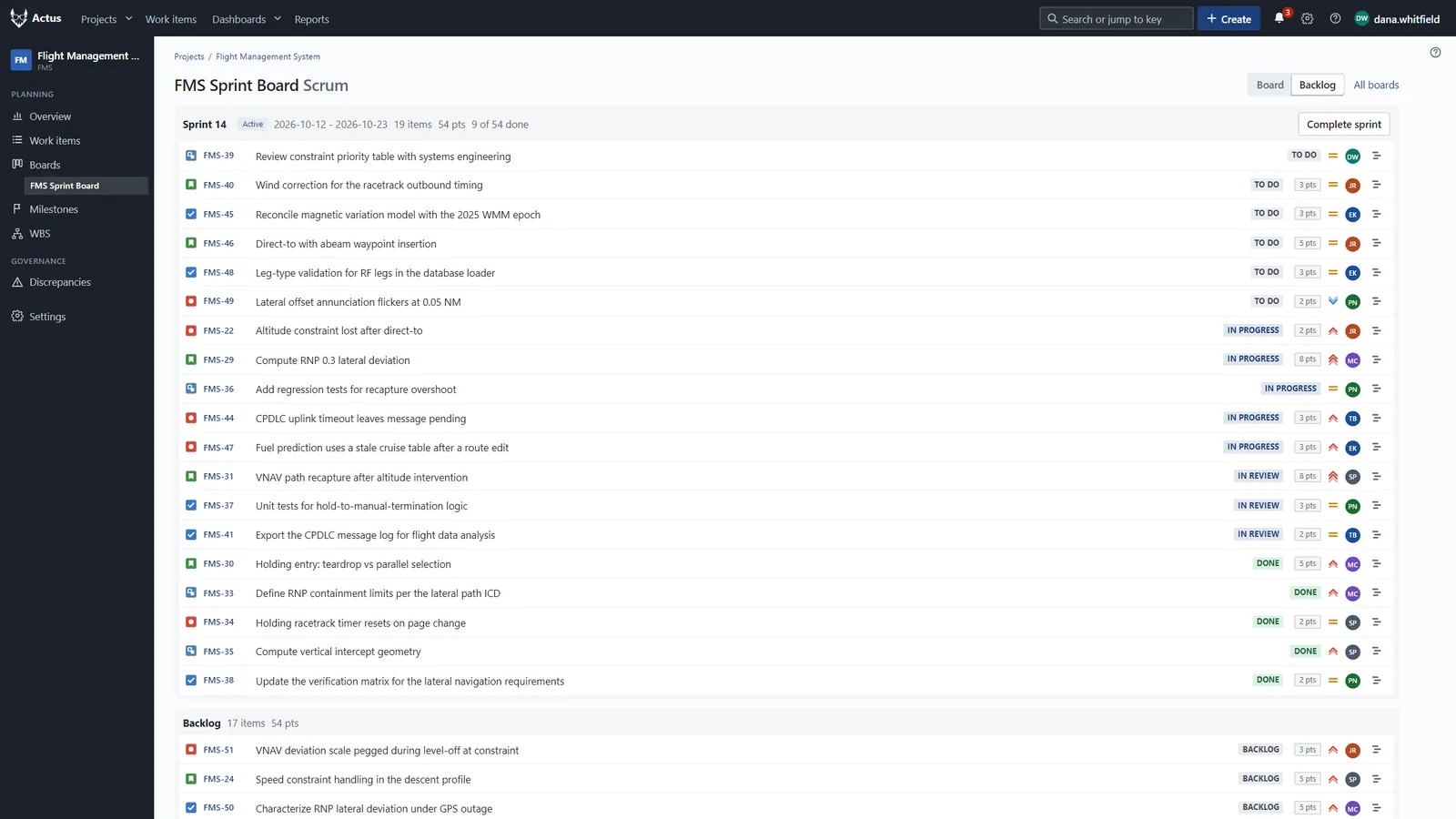
Backlog view with the Sprint 14 container of 19 items with status, points and assignee, and the ranked backlog of 17 items starting with FMS-51
02 / Scrum board

Work the sprint column by column.

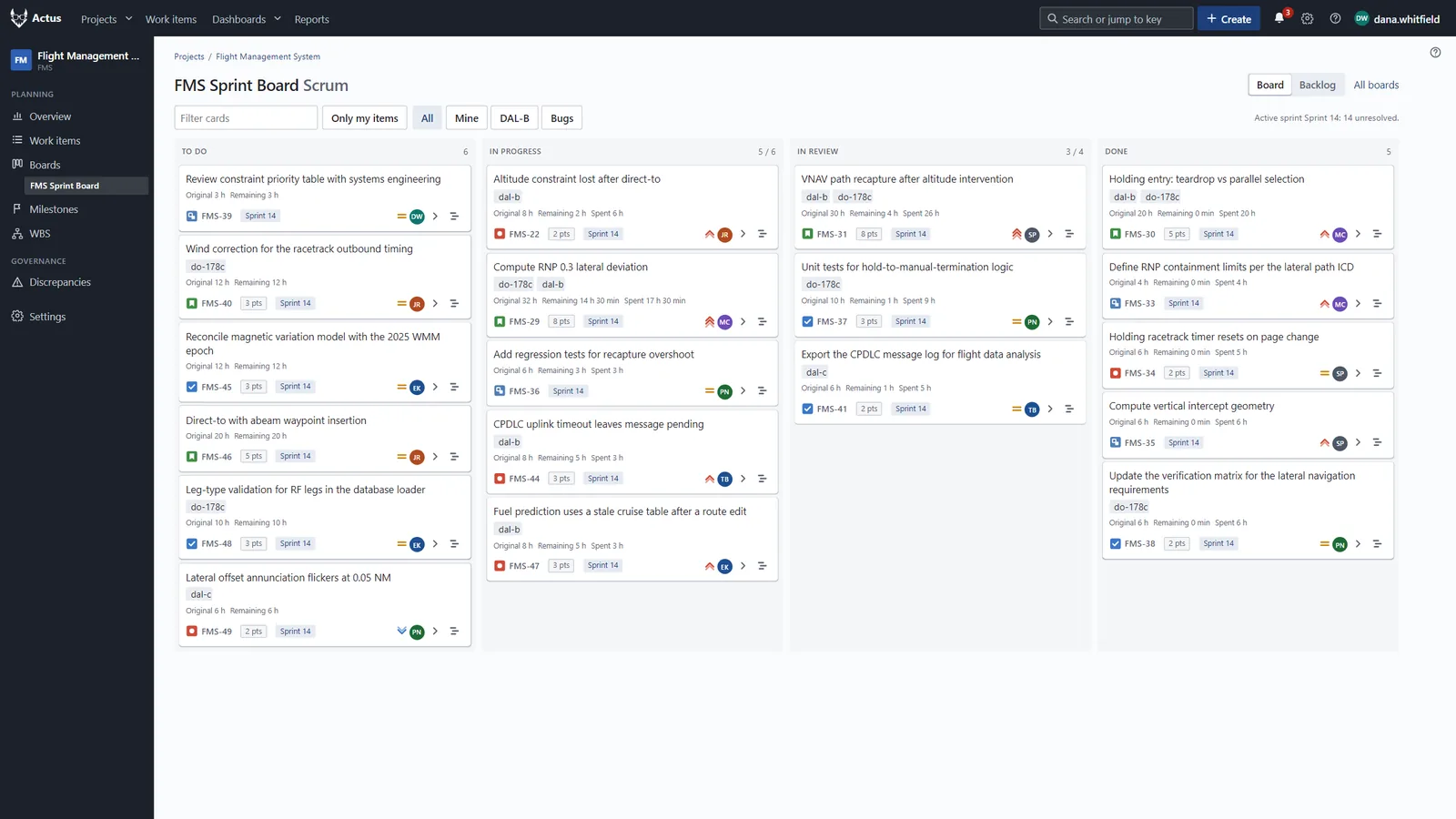
Each column of a board is a status of the workflow it is built on. Drag a card to move it: while you drag, only the columns with a valid transition accept the drop, so a dropped card is always a legal move. Cards show labels, estimates, story points, the sprint and the assignee; click a key to open the item in a side panel next to the board. Keyboard users move the highlight with j and k and use the card’s Move to menu.

  • Drag and drop limited to valid transitions
  • Item side panel without leaving the board
  • Card filter and an Only my items toggle
Sprint 14 board of the Flight Management System project with To Do, In Progress, In Review and Done columns showing WIP counts, and cards carrying labels, estimates, story points and avatars
03 / Kanban & WIP limits

Manage the flow, not the iteration.

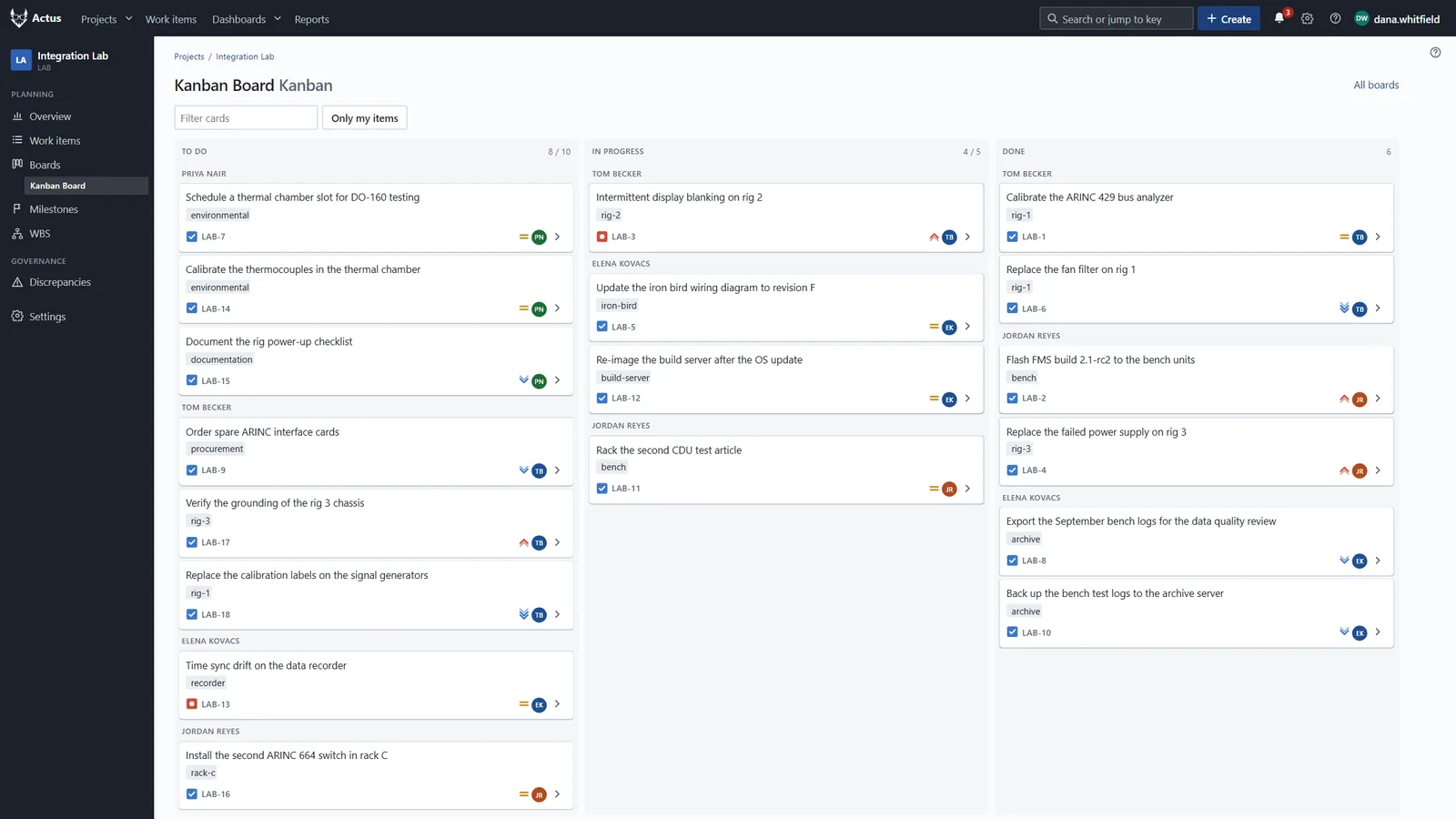
A project can have several boards, Scrum or Kanban. Give each column a WIP limit and choose how it is enforced: advisory turns the column header red when the limit is exceeded, blocking makes the server refuse a move past it. Group the cards into swimlanes by assignee, reporter or type.

  • Advisory or blocking WIP limits per board
  • Swimlanes by assignee, reporter or type
  • Several boards per project, each tied to one workflow
Integration Lab Kanban board with assignee swimlanes and the To Do, In Progress and Done columns showing WIP counts of 8 of 10, 4 of 5 and 6
04 / Reports

And afterwards, the numbers.

Sprint reports

Burndown, burnup and sprint report

Chart remaining work against the ideal line, completed work against scope, or read the per-item sprint summary with original, remaining and spent estimates.

Search and dashboards →
Velocity

Velocity across sprints

Work and story points per completed sprint, with a mean over the last five.

Templates

Boards from day one

Scrum Software, Kanban, Lean R&D, Formal EVMS and Mission-Critical projects each start with a board suited to their workflow.

All features →