Actus / Program planning

From release to work breakdown.

Group work into versions, break a program into a WBS that rolls up estimates and actual hours and cost, and watch milestones move from on track to complete.

01 / WBS & cost accounts

Budget against actuals, element by element.

The WBS is a tree of elements with dotted codes such as 1.1.2, to a depth you set between 1 and 10. Every element rolls up the estimates and worklogs of the work items assigned to it and its children, and can carry its own budget that overrides the derived one. Turn on cost-account tracking to add charge numbers and a cost account catalog; worklogs are priced at the logger’s cost-center hourly rate, falling back to the project labor rate. Variance columns compare actuals with both budget and estimate, and the tree exports to CSV.

  • Dotted element codes and configurable depth
  • Charge numbers and cost accounts, priced from cost-center rate histories
  • Budget, actual and variance roll-up with a Total row
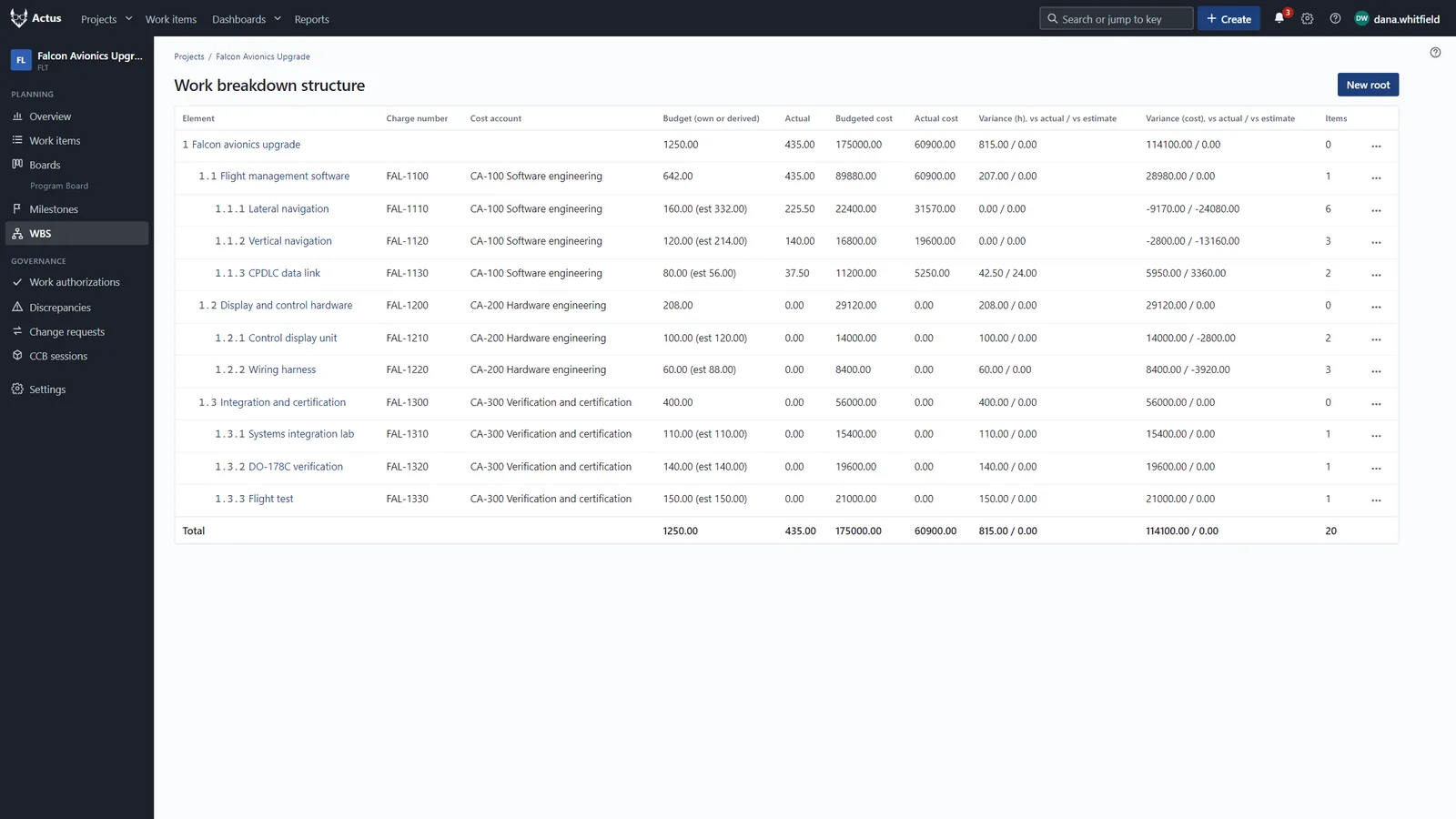
Work breakdown structure of the FLT program with three levels, charge numbers, cost accounts, own or derived budgets, actual hours and cost of 435 h and 60,900, variances and item counts
02 / Milestones

Status you do not have to maintain.

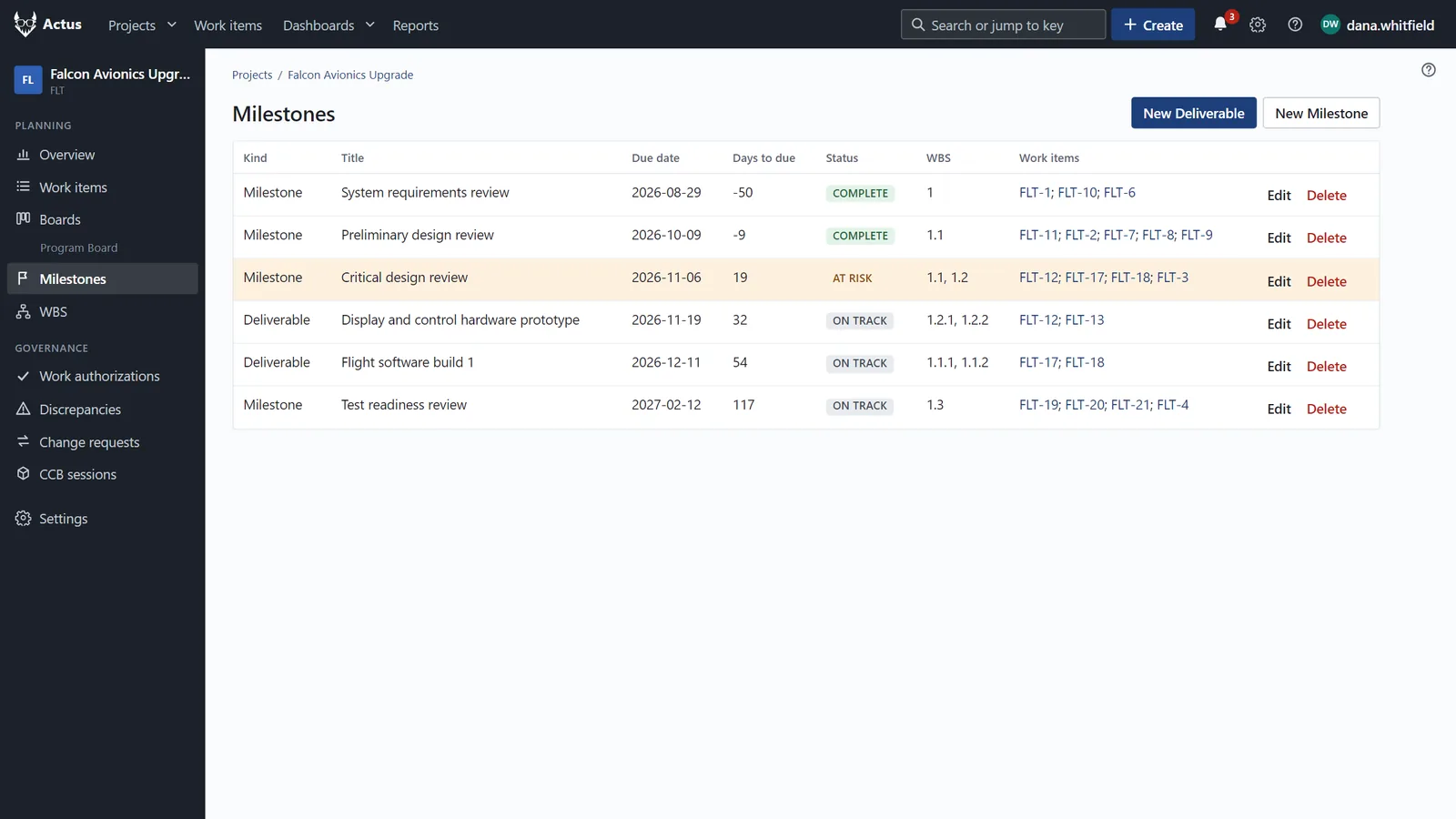
A milestone or deliverable has a due date and links to WBS elements and work items. Its status is derived from them: Complete when every linked item is Done, Overdue when the date has passed with work left, At risk when the date falls inside the warning window you set for the project, and On track otherwise. The list shows the days to due and exports to CSV.

  • Deliverables and milestones linked to WBS elements and work items
  • Complete, Overdue, At risk and On track derived automatically
  • A configurable warning window
Milestones of the FLT program: SRR and PDR complete, CDR at risk and highlighted, two deliverables and TRR on track, with due dates, days to due and linked WBS codes
03 / Releases

Versions, release notes and the roadmap.

Versions

Affects and fix versions

Tag each item with the versions it touches and the versions that complete it, with optional start and release dates. Archived versions drop out of the pickers.

Release

Release with the loose ends in hand

Releasing a version lists its unresolved fix-version items and lets you keep them or move them to another unreleased version. Items already Done keep the released version.

Notes & report

Release notes and the release report

Generate release notes that group the done items by resolution and list what is still open, and copy them as plain text. The Release report shows the version as a Done, In Progress and To Do bar with the percent complete.

Roadmap

Roadmap report

The Roadmap report on the Reports page shows a project’s roadmap across versions.

All reports →