Actus / Work authorization

Authorize the work before anyone charges to it.

On a formal program, a work authorization document (WAD) names its scope, hour cap and budget, is signed off, and only then allows time against that scope.

01 / Formal mode

One switch per project.

Projects start in implicit mode, where any item can log time. Switch a project to formal in its governance settings and Actus creates the Work Authorization type and the WAD workflow, adds the Work authorizations page to the sidebar and blocks worklogs against items no approved WAD covers. Choose the sign-off policy at the same time. The Formal EVMS Program and Mission-Critical Assurance templates start in formal mode with dual sign-off.

  • Implicit or formal mode per project
  • Single Lead/PM or dual CAM/PM sign-off policy
  • Switching back to implicit lifts the gate and keeps the WADs
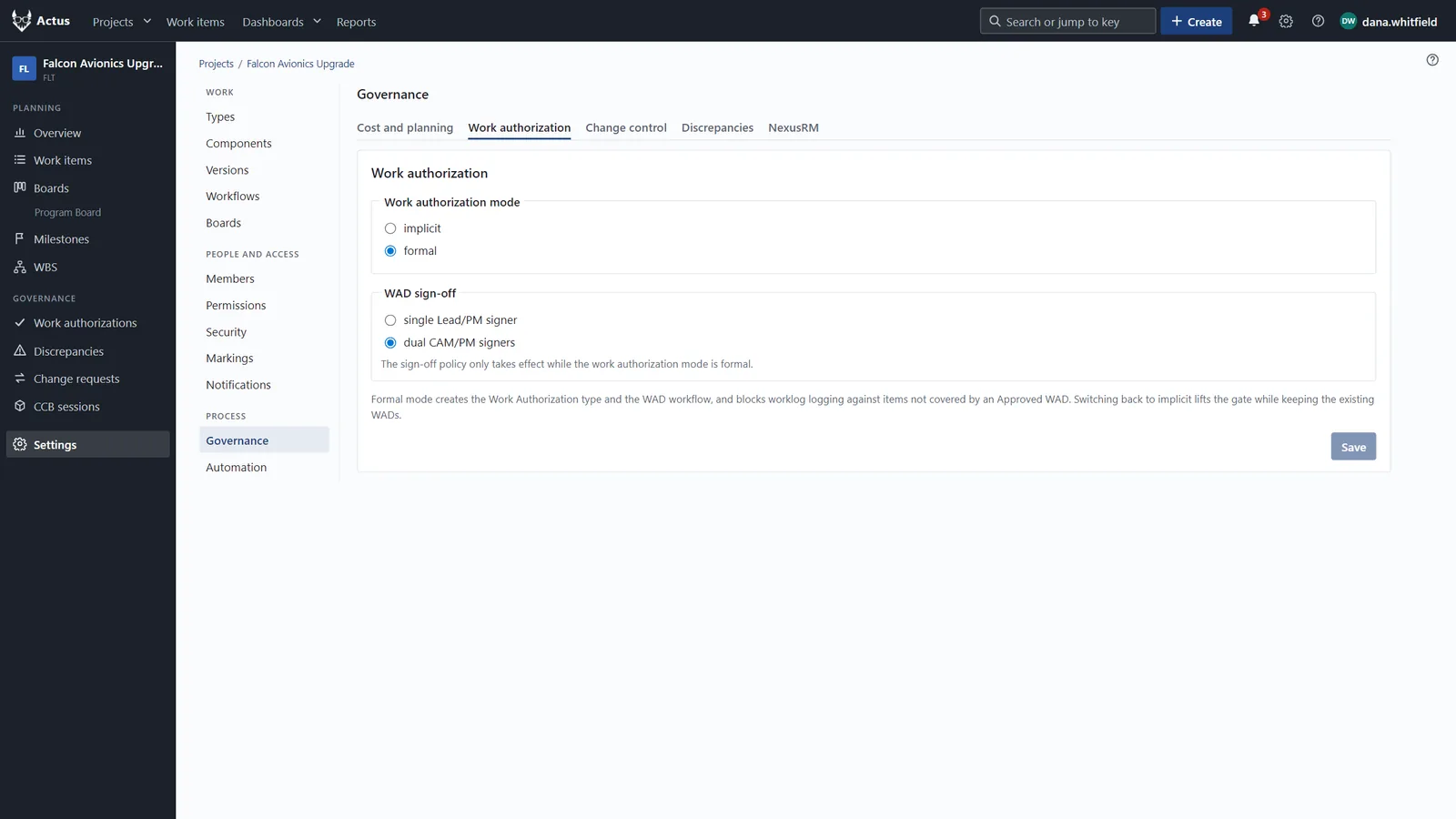
Governance settings of the FLT project on the Work authorization tab with the formal mode and the dual CAM/PM signers policy selected
02 / Scope & limits

Name what is covered, and how much.

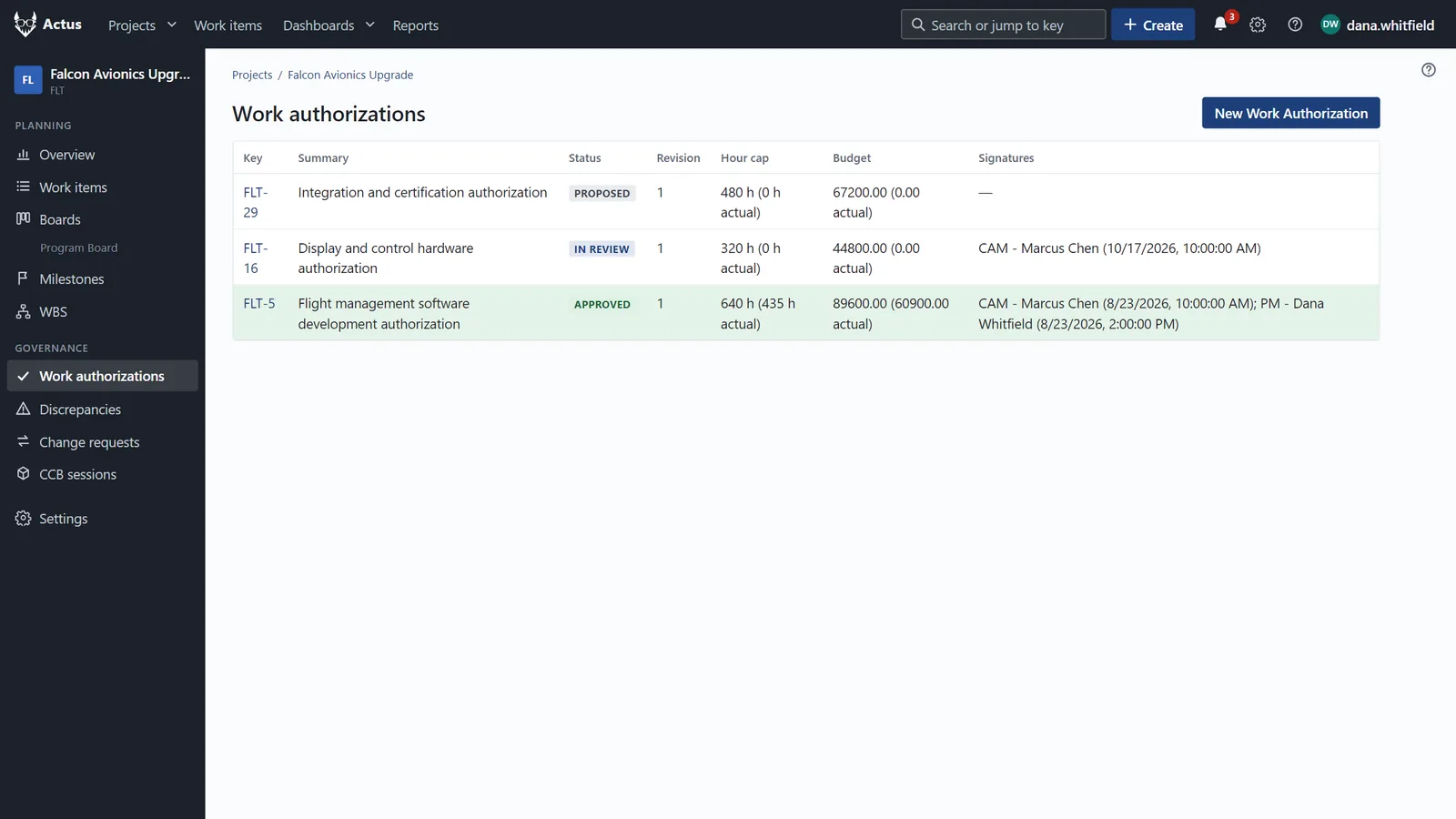
A WAD authorizes WBS elements and cost accounts, with an optional hour cap and budget. It cannot be submitted while its scope is incomplete. Once approved, every worklog on an item in scope is checked against the cap and budget and refused with a message naming the exceeded bound. Time logged on the WAD itself is always allowed, and the list flags WADs whose actuals pass a bound.

  • WBS elements and cost accounts as scope
  • Hour cap and budget enforced on every worklog
  • Over cap and Over budget flags in the list
Work authorizations list with FLT-29 Proposed, FLT-16 In Review with its CAM signature and FLT-5 Approved, showing a 640 h hour cap with 435 h actual and an 89,600 budget with 60,900 actual
03 / Baseline & amendments

Approved means frozen.

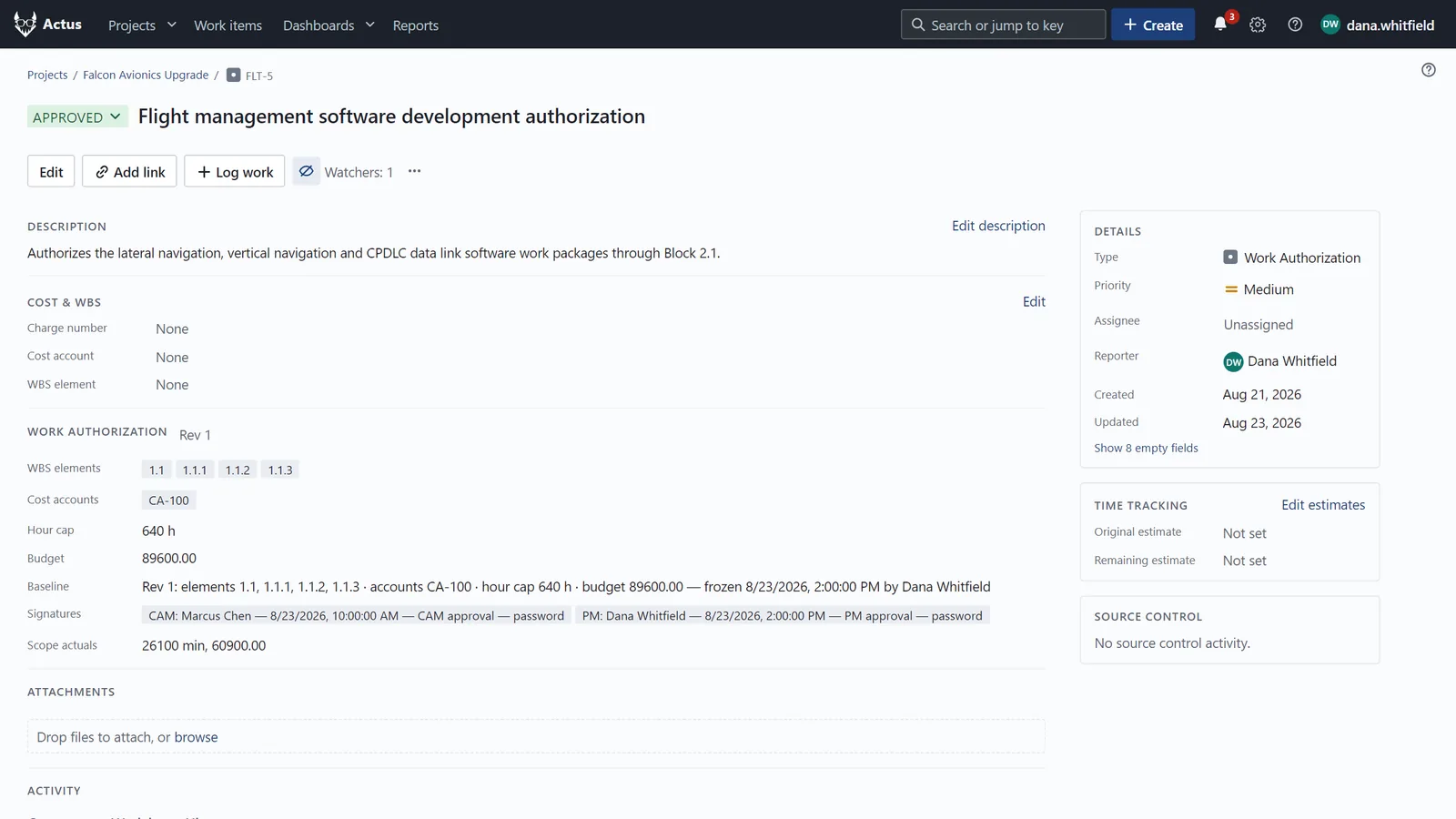
When the recorded signatures satisfy the sign-off policy, the Approve transition runs automatically and freezes the baseline: the scope, hour cap and budget as approved, with who froze it and when. To change an approved WAD you amend it with a mandatory justification. The amendment is a new revision that goes through the full lifecycle, only one can be open at a time, and its approval supersedes the original.

  • Frozen baseline recorded with who and when
  • One open amendment, with a justification
  • Close an approved WAD, or supersede it
FLT-5 work authorization detail with scope WBS elements 1.1 to 1.1.3, cost account CA-100, hour cap, budget, the frozen baseline with date and author, both signatures with meaning and authentication method, and scope actuals
04 / Signed approval

Single or dual, and on the record.

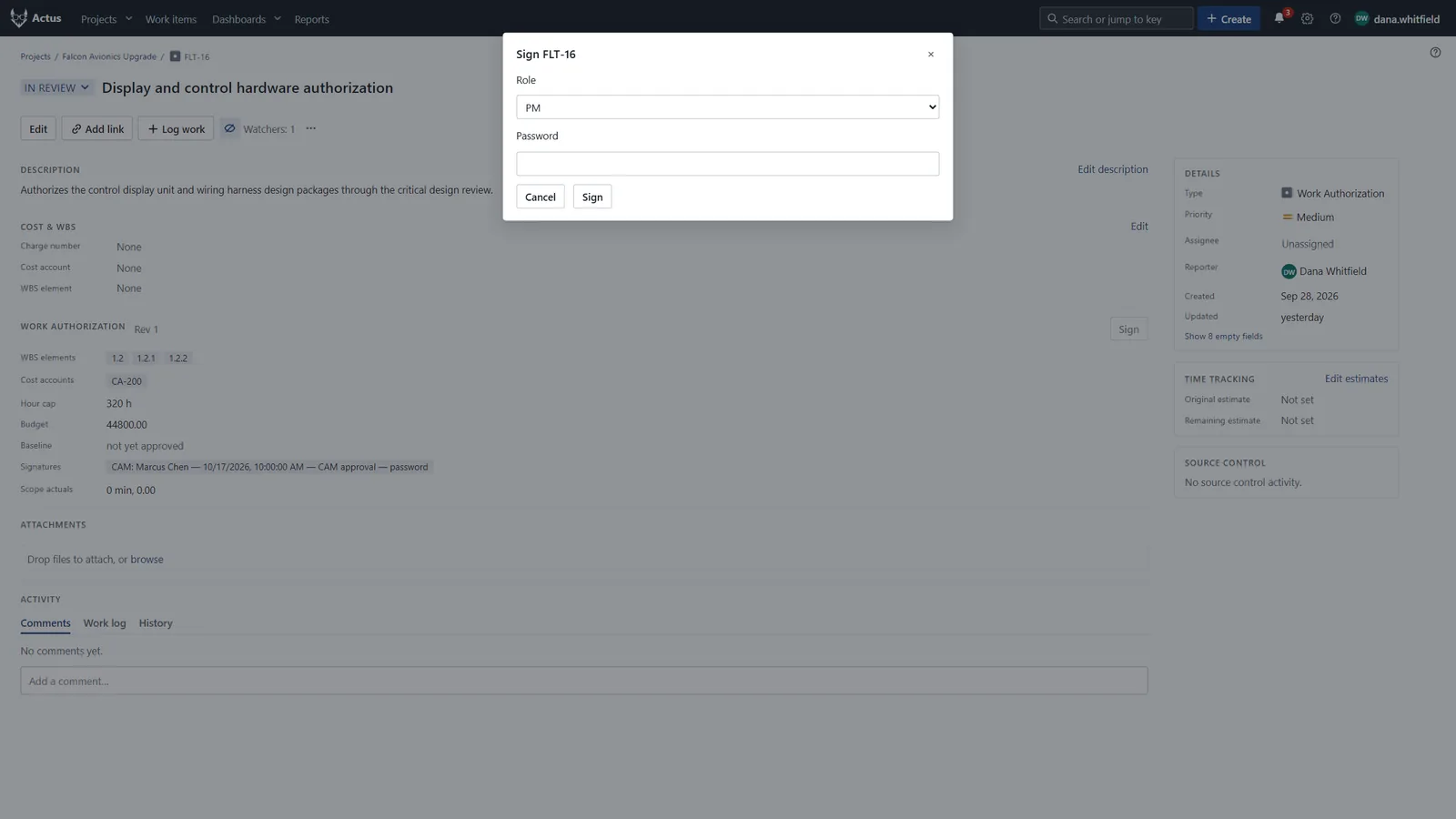
Under the single policy one Lead or PM signs. Under the dual policy a CAM and a PM sign, and they must be two different users. The signer re-authenticates: local accounts re-enter their password, and directory accounts must have signed in within the re-authentication window. Each signature records the signer, role, time, meaning and authentication method.

  • Single Lead/PM or dual CAM and PM signers
  • Password re-entry or a fresh directory session
  • Signer, role, time and method stored with each signature
FLT-16 work authorization with the Sign dialog open, the PM role selected and an empty password field